Quality-control Dashboards
Interactive viewer in Jupyter Notebook
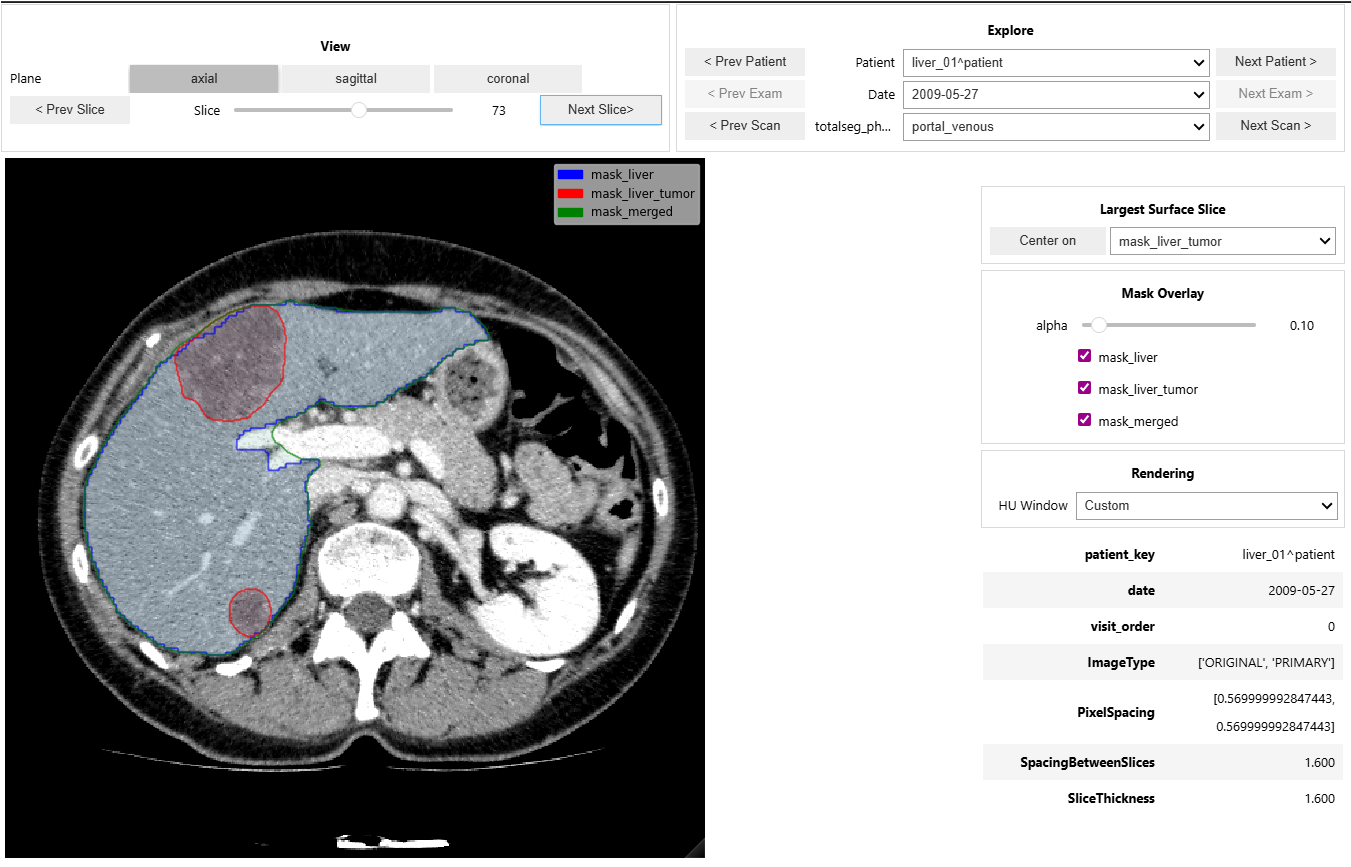
Example of the IMPERANDI interactive viewer interface in a Jupyter Notebook.
- class imperandi.qc.viewer.CTScanViewer(df, ct_scan_col, segmentation_cols=None, phase_col=None, HU_min=-100, HU_max=400, exploration_mode='ordered', isotropic_resolution_mm=1.0)[source]
Bases:
objectInteractive Jupyter viewer for CT volumes and segmentation overlays.
The viewer navigates cohort rows, patients, exams, phases, and anatomical planes while applying configurable HU windows and isotropic resampling.
Viewer resampling helpers
- imperandi.qc.viewer_resample.load_nifti_isotropic(file_path, orientation='LAS', resolution_mm=1.0, order=1)[source]
Load, orient, and resample a NIfTI volume for isotropic display.
- imperandi.qc.viewer_resample.load_oriented_nifti(file_path, orientation='LAS')[source]
Load NIfTI data and voxel spacing after applying viewer orientation.